NaPTAN, Department for Transport
Rebuilding the way local authorities publish UK public transport stop data.
NaPTAN is the national dataset for every public transport access point in Great Britain, used by journey planners, bus operators and local councils. Local authorities had no self-serve way to add, remove or publish their stops. They emailed XML files to a tiny team at DfT, waited days for a manual check, and often got a vague rejection back. I led the user research and design to turn that into a self-serve service built on the GOV.UK Design System.
300+ local authorities maintained a national transport dataset by emailing XML files to DfT and waiting days for a hand check. Rejections were vague, the live data was at risk, and the DfT team was buried in triage.
Design a self-serve service that lets local authority data managers publish, remove and download stops without contacting DfT, meets WCAG 2.1 AA, passes the GDS service standard, and reduces manual triage at DfT.
Lead experience designer at Thoughtworks. Owned the research and design end to end: discovery with 14 councils, IA, GOV.UK Design System flows, five rounds of usability testing, accessibility remediation, and the GDS alpha-to-beta assessment evidence.
Service passed its GDS assessment and moved from alpha into private beta. Pilot tool engagement rose over 60 per cent, task success in moderated testing went from partial to complete on the three priority flows, and DfT freed its data team from routine triage.
A national dataset maintained over email.
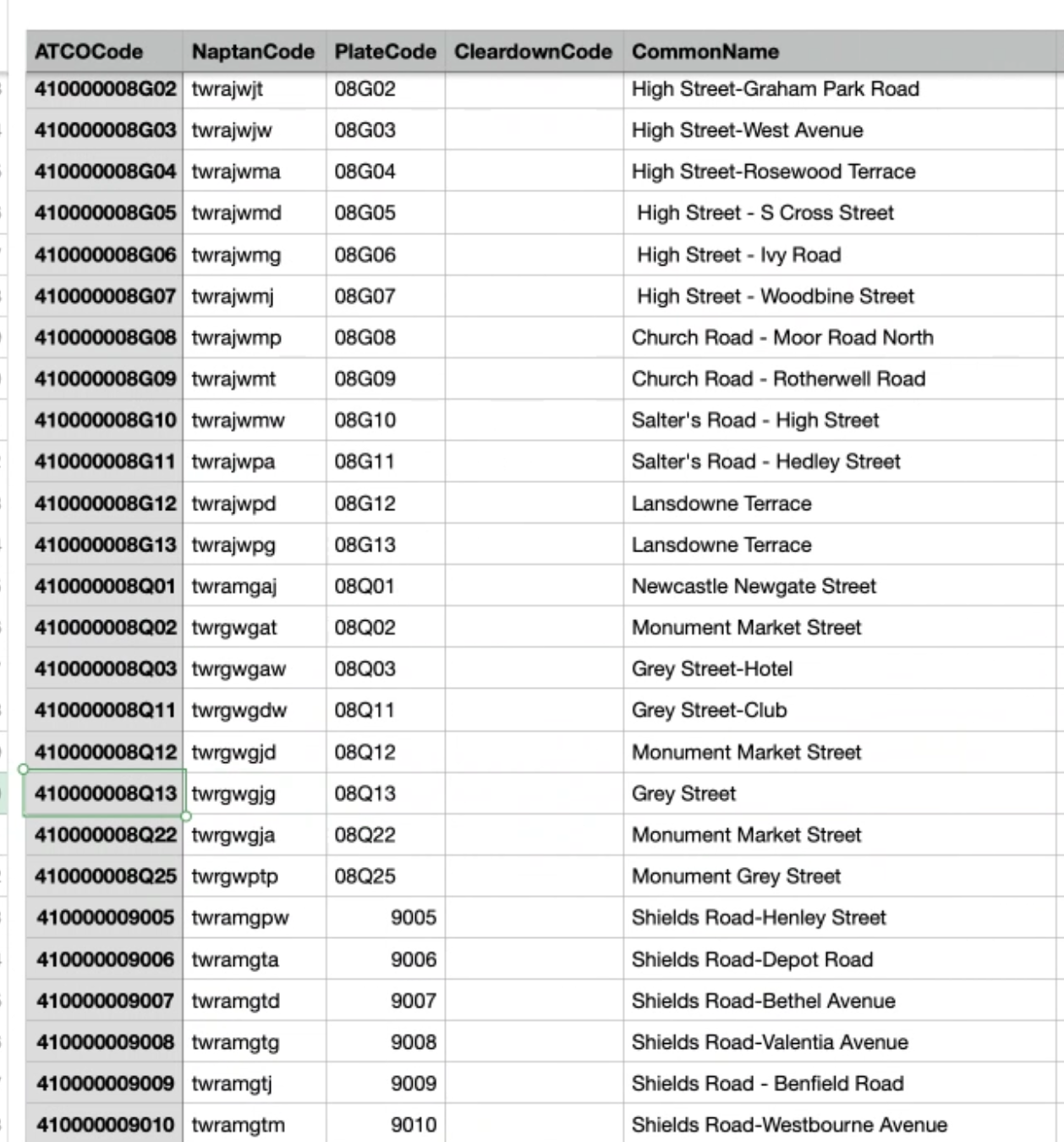
Every bus stop, rail platform and ferry terminal in England, Scotland and Wales sits in NaPTAN. When a stop moves, closes or is added, the local authority has to tell DfT. Before this work, that meant emailing an XML file, waiting for someone in the DfT team to validate it by hand, and hoping nothing bounced back.
DfT wanted a service that local authority data managers could use without training, without phone support, and without breaking the live journey planners that depend on the data downstream.
What good looked like.
I worked with the product manager and the DfT service owner to frame the outcomes the service had to land. Every design decision had to map back to one of these.
- ·Local authorities can publish, remove and download stops without contacting DfT
- ·Invalid files are rejected with errors a non-technical user can act on
- ·The service meets WCAG 2.1 AA and the GOV.UK service standard
- ·DfT's internal triage workload drops measurably
- ·Pilot authorities engage with the tool often enough to validate moving to beta
Why accurate stop data matters to the public.
NaPTAN feeds every journey planner, bus app and mapping service used by millions of people across Great Britain. When a stop closes, moves or gains step-free access and the data lags, real passengers feel it. They wait at a stop that no longer exists, plan a connection around a platform that changed, or arrive expecting wheelchair access that is not there.
By giving councils a fast, self-serve way to publish and maintain their stops, the service makes the open data that powers Google Maps, Citymapper and every local bus app more accurate and more current. That means fewer stranded passengers, better accessibility information, and more reliable real-time data for everyone who depends on public transport.
- ·Millions of people use journey planners powered by NaPTAN every day
- ·Out-of-date data means passengers wait at stops that no longer exist or miss connections
- ·Wheelchair users depend on accurate accessibility data that was often stale
- ·Faster updates from councils mean apps like Citymapper and Google Maps stay current
- ·Better data means fewer stranded passengers and more reliable real-time information
Six groups, very different stakes.
Designing inside government means designing with the people who own the policy, the data and the support load, not just the end user. I ran a stakeholder map early so we knew where decisions actually lived.
- ·DfT service owner and product manager, accountable to the GDS service standard
- ·DfT NaPTAN data team, who triage every file today and would inherit the new service
- ·Local authority data managers in 300+ councils, the primary users
- ·Bus operators and journey planner providers consuming the open data
- ·GDS assessors, who would gate the move from alpha to beta
- ·Engineering, who needed the design to fit the existing validation pipeline
Interviews, contextual sessions and usability tests.
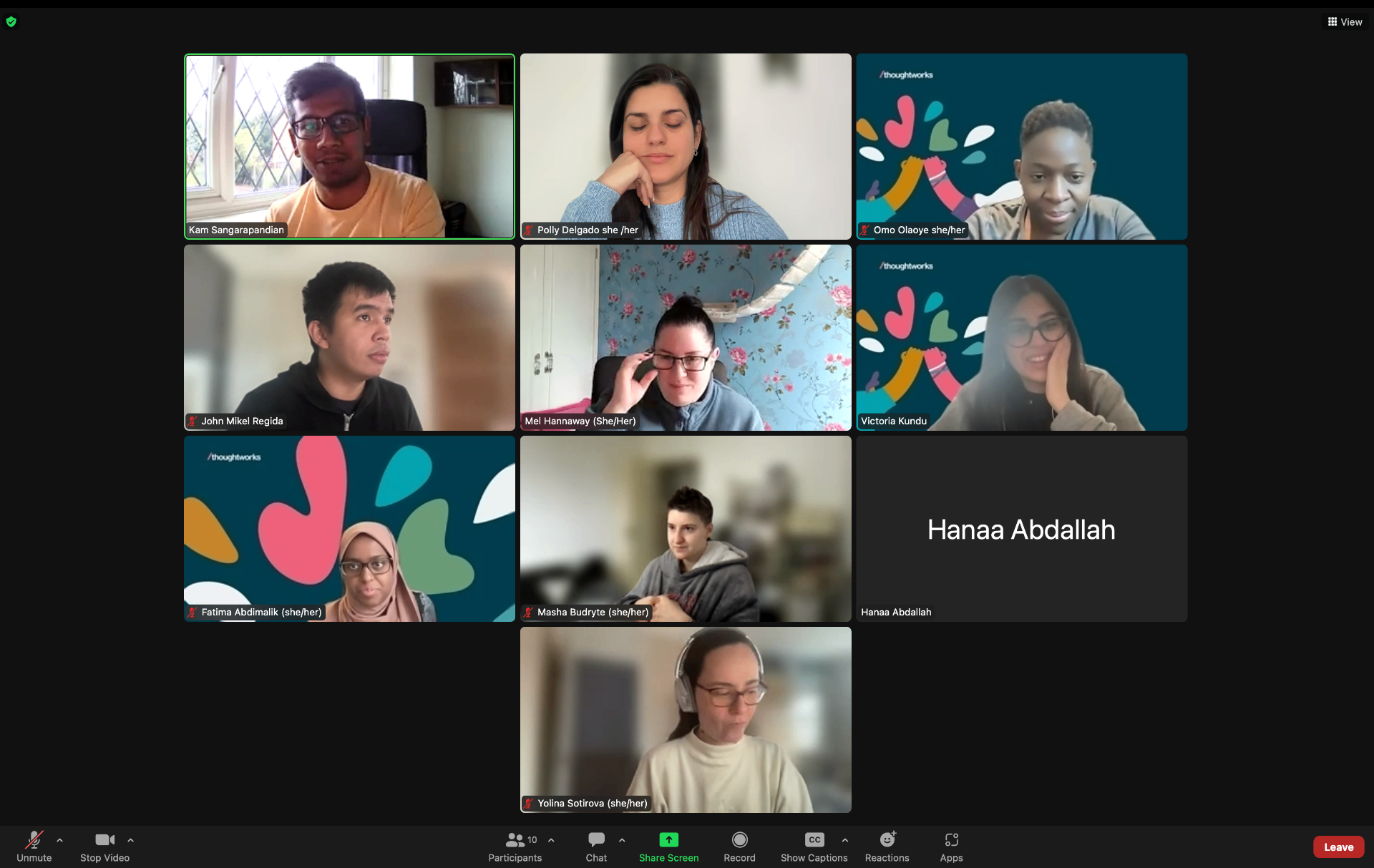
I led discovery across 14 local authorities, from large metropolitan councils to small rural ones, plus the DfT team itself. I ran semi-structured interviews, observed real publishing workflows, and analysed every support email from the previous six months to see where people actually got stuck.
Two patterns stood out. First, most data managers were not technical, but the language in the existing process assumed they were. Second, the moment of highest anxiety was not uploading the file, it was the silence afterwards: people did not know whether their data had landed, been rejected, or was sitting in a queue.
- ·14 local authority interviews across England, Scotland and Wales
- ·6 contextual sessions watching people prepare and submit XML
- ·Support inbox analysis to cluster the real failure modes
- ·5 rounds of moderated usability testing across alpha and private beta
Putting the tasks where people expected them.
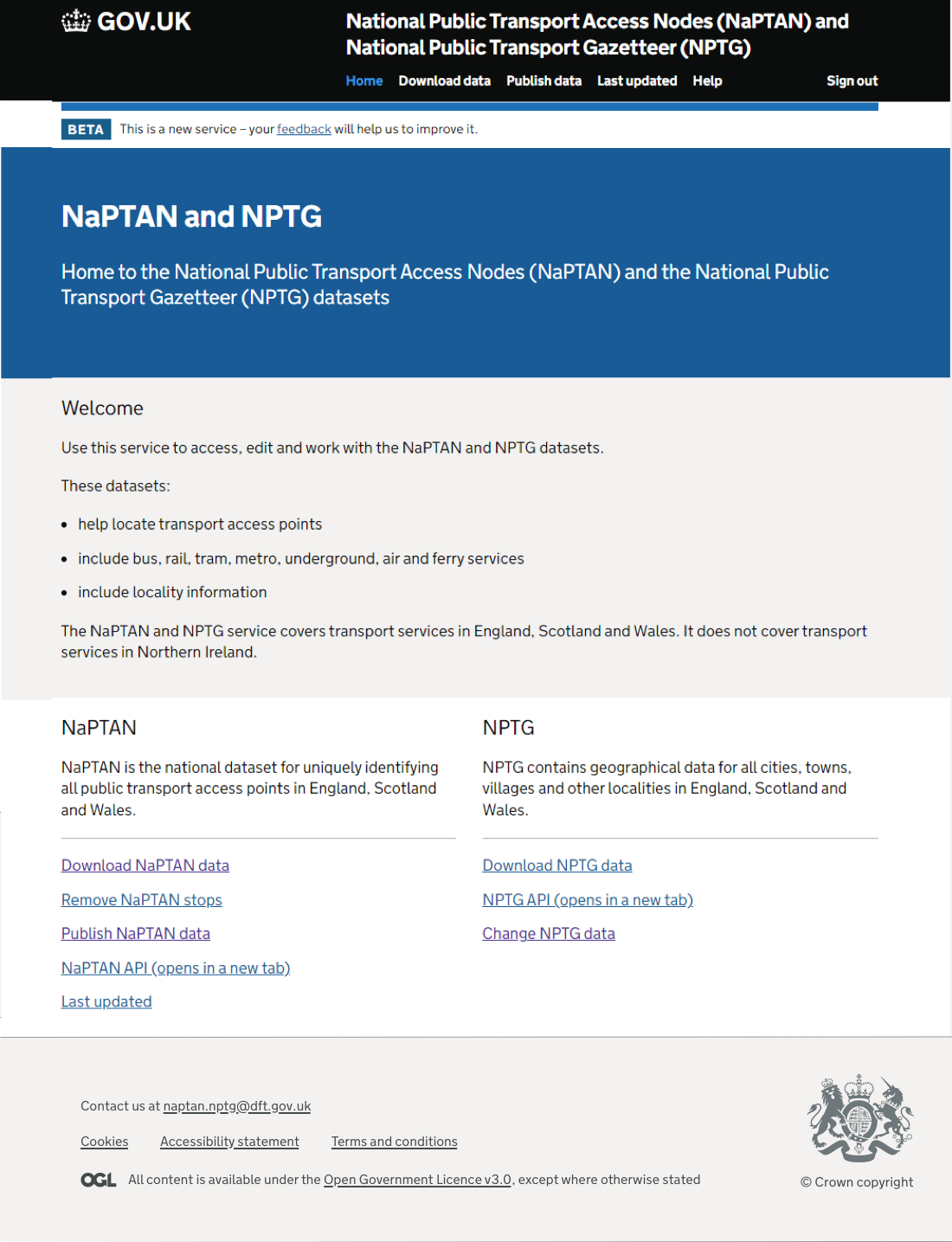
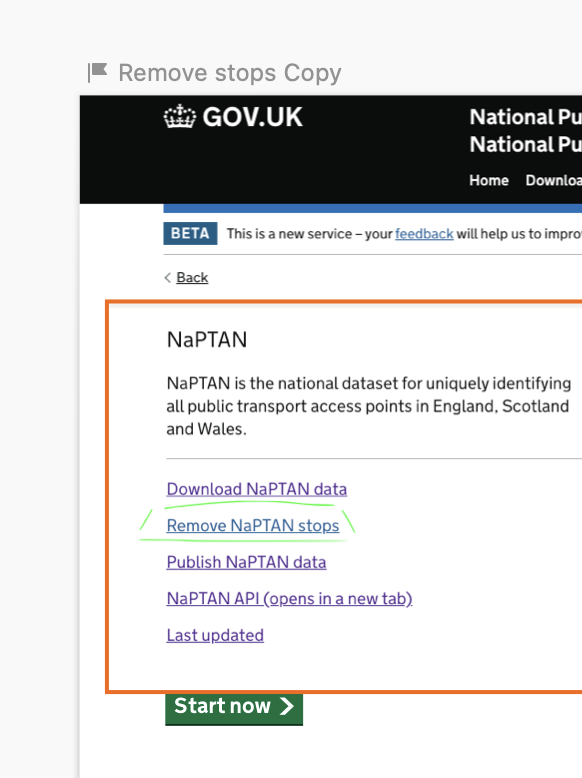
Local authorities thought in tasks: download my data, publish a file, remove a stop. The old service spoke in systems. I restructured the homepage around the four tasks people actually came to do, grouped by dataset, so the IA matched the mental model rather than the org chart.
Proximity and common region did the heavy lifting: each dataset became one block, with its task list inside it. Nothing decorative, no orphan links.
From sign in to a clean stop report.
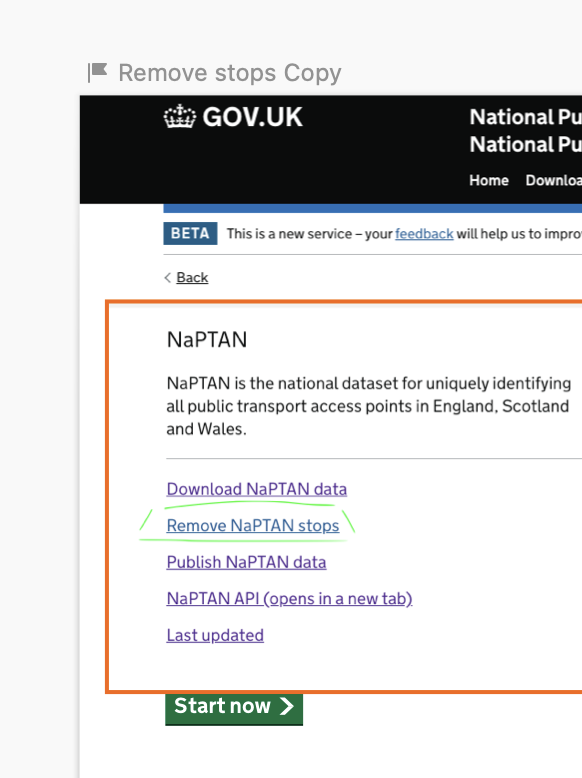
I designed end-to-end flows in the GOV.UK Design System, prototyped them, and tested each one with real local authority users. Three flows mattered most: signing in with the right permissions, removing a single stop with safety checks, and publishing a batch of files with clear per-file feedback.
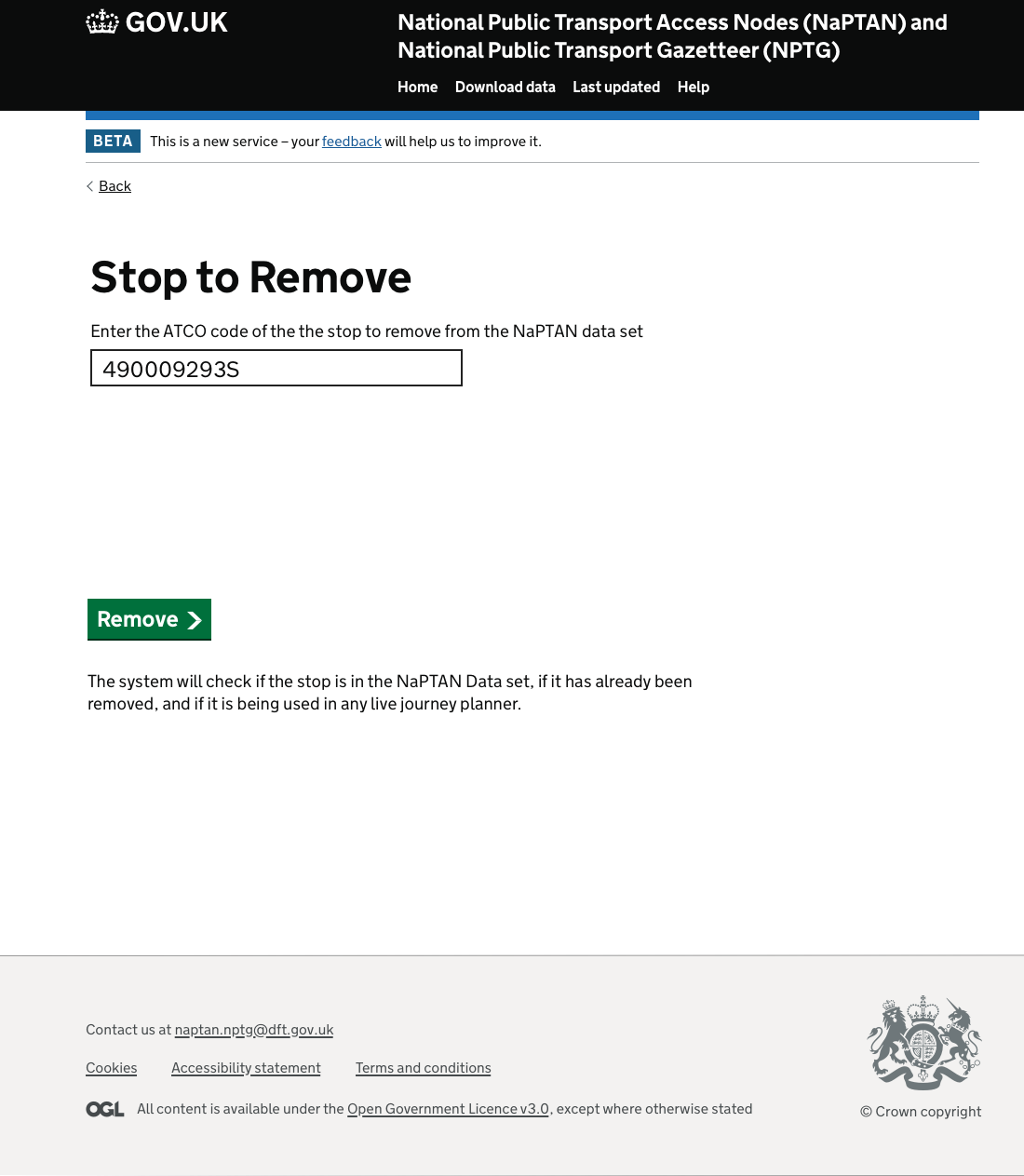
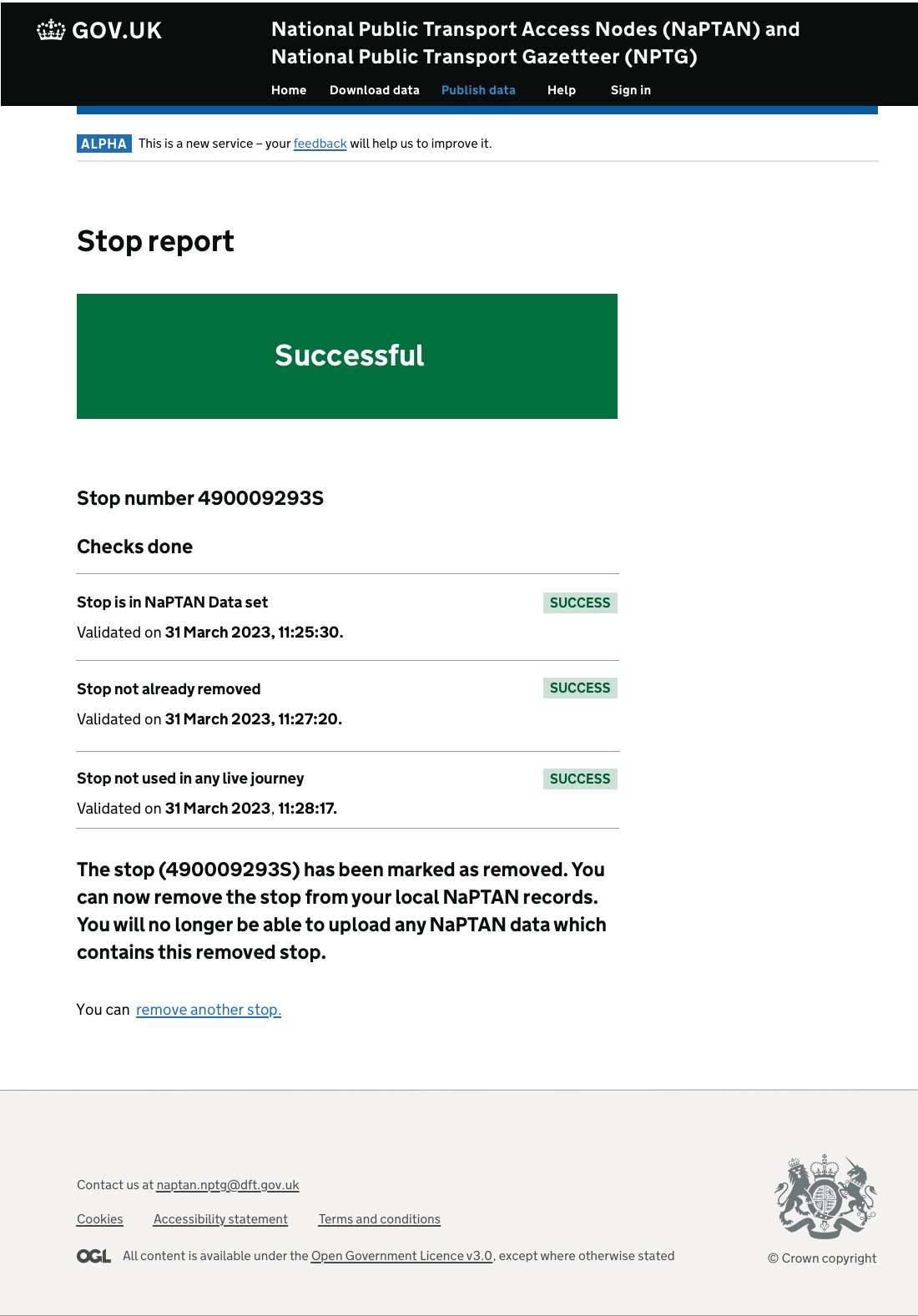
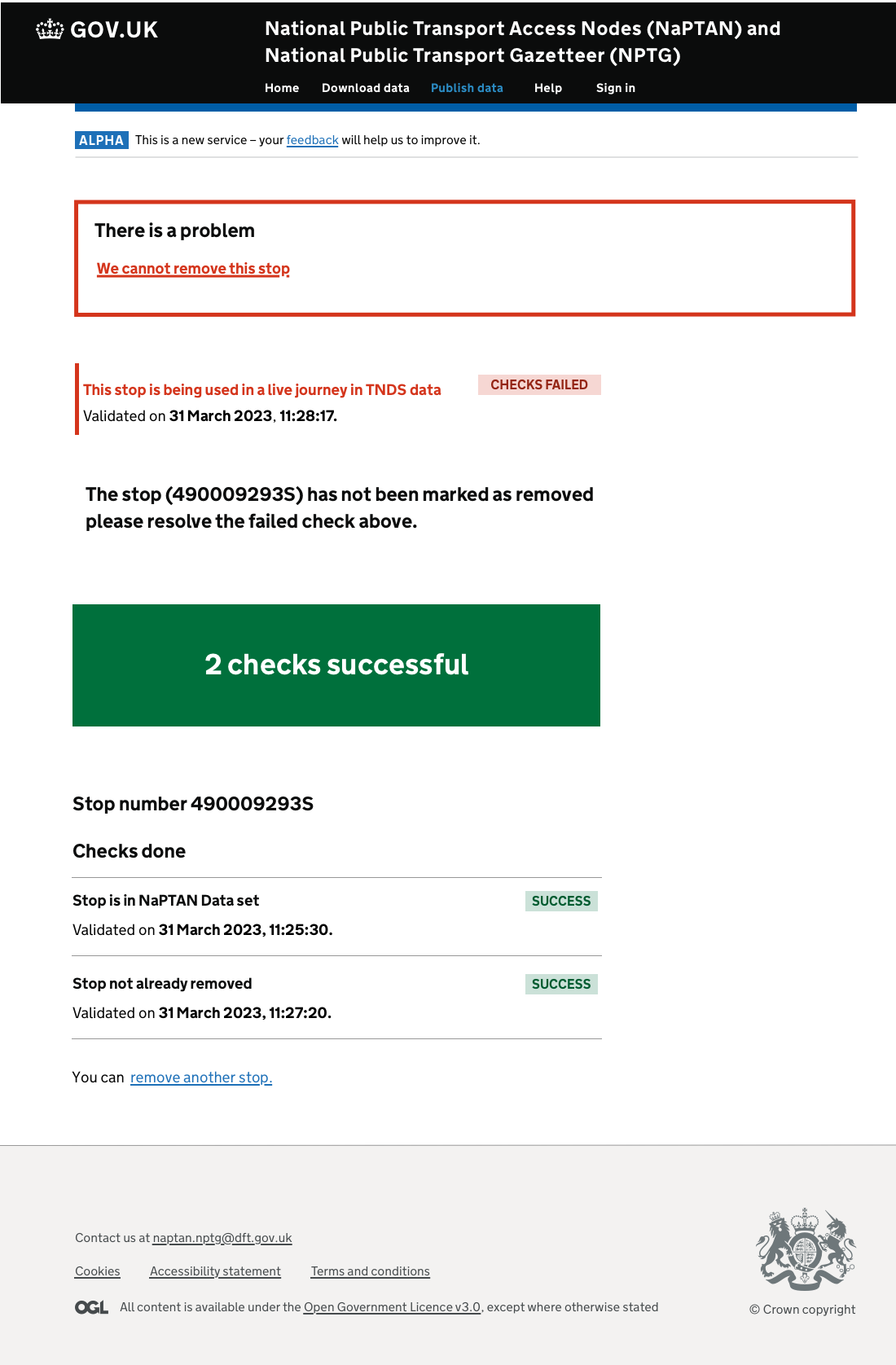
The remove-a-stop flow added three automated checks the old email process never did: is the stop actually in NaPTAN, has it already been removed, and is it still used in any live journey. People could see exactly which check had failed and why, instead of getting a generic rejection days later.
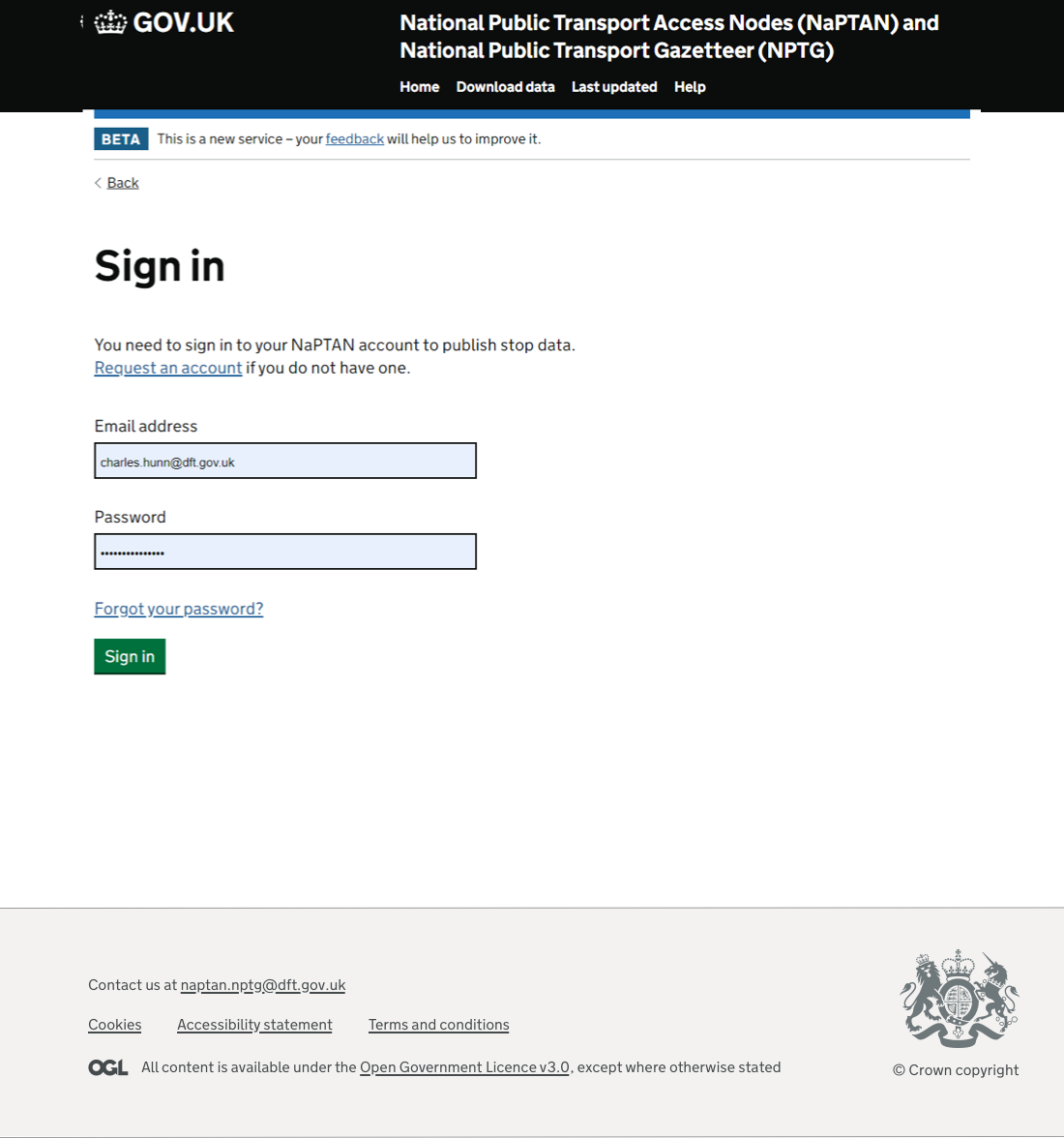
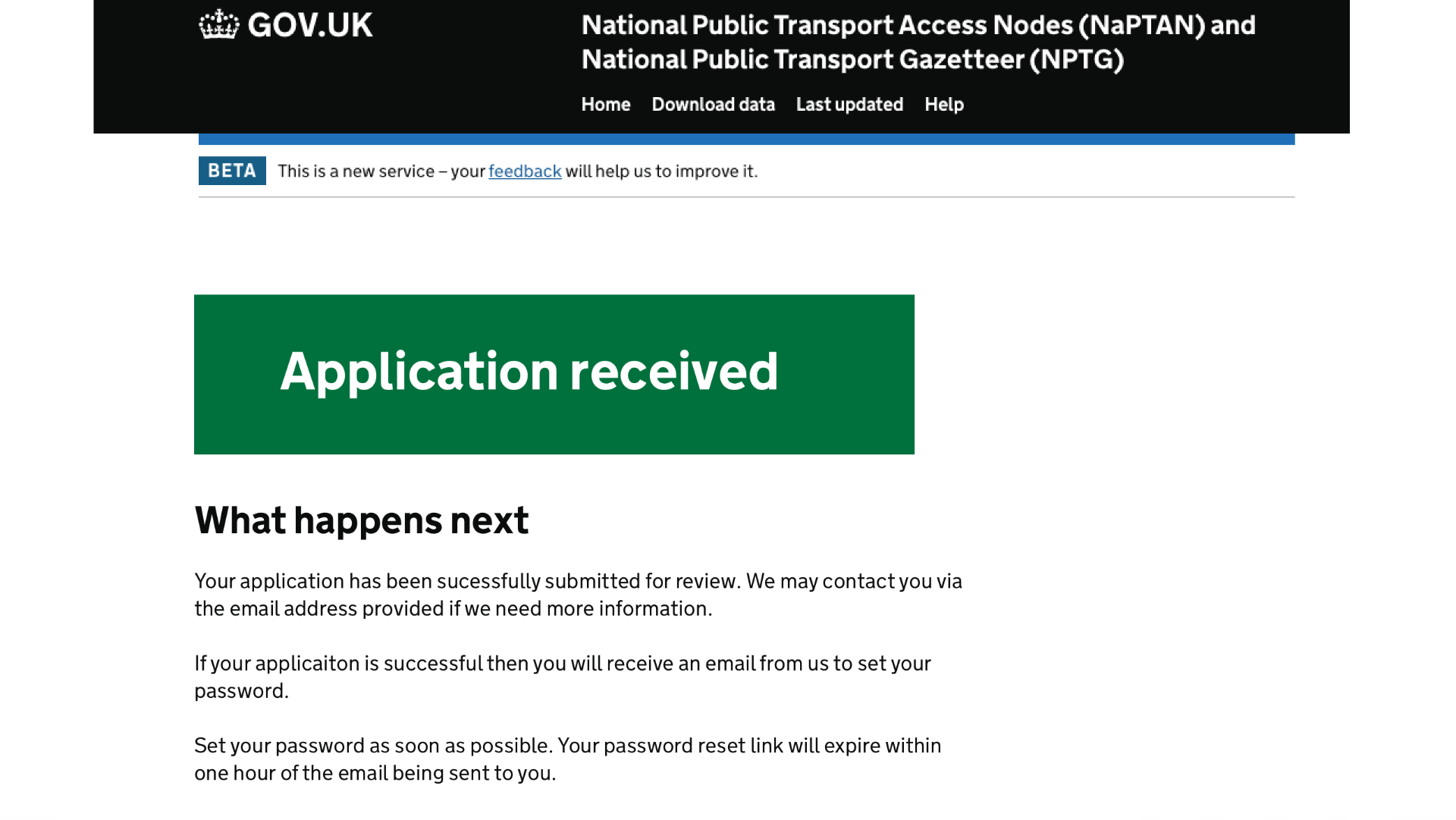
- ·Sign in and request an account with permissions scoped to the user's area
- ·Stop to remove, with three sequential validation checks and a clear success or failure state
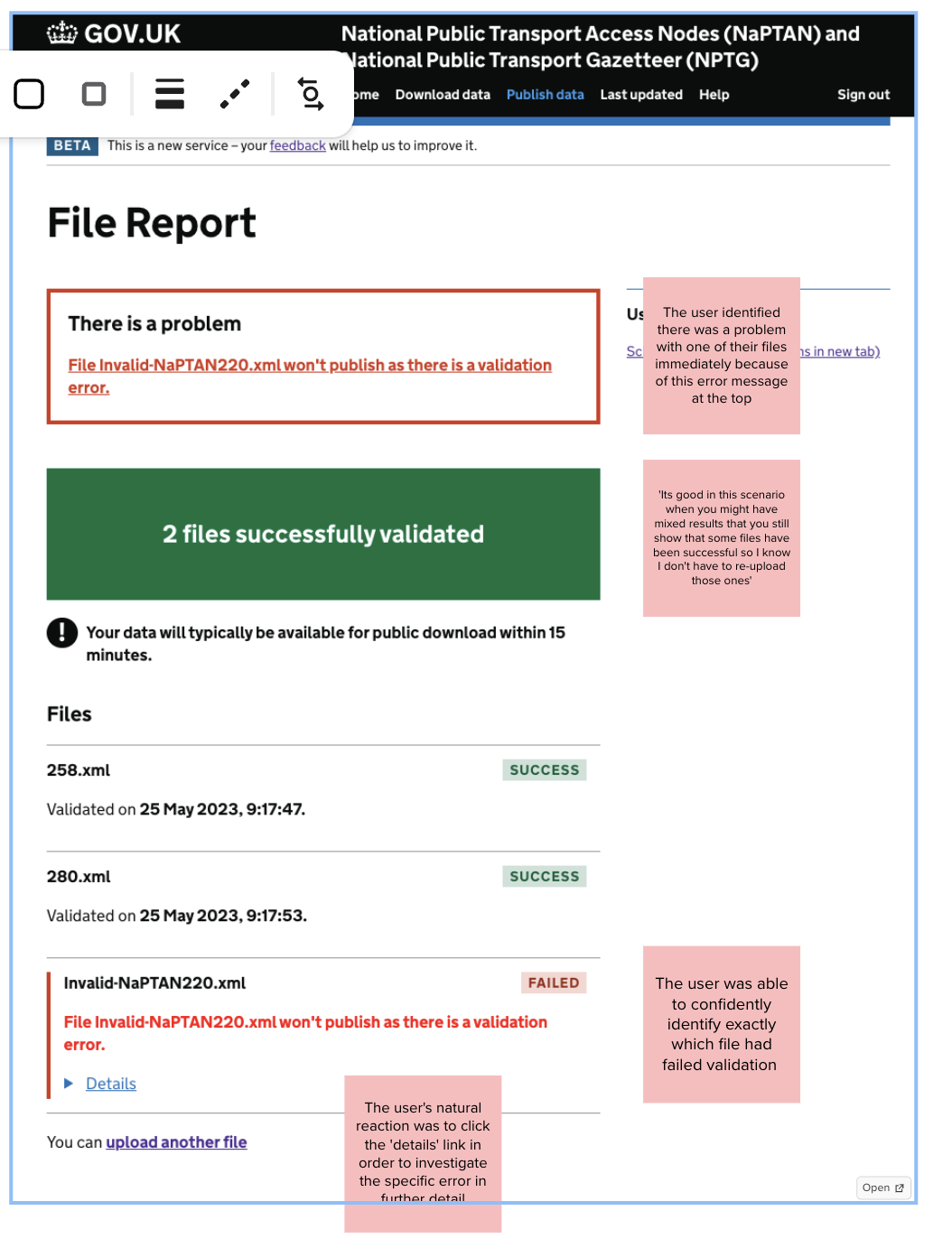
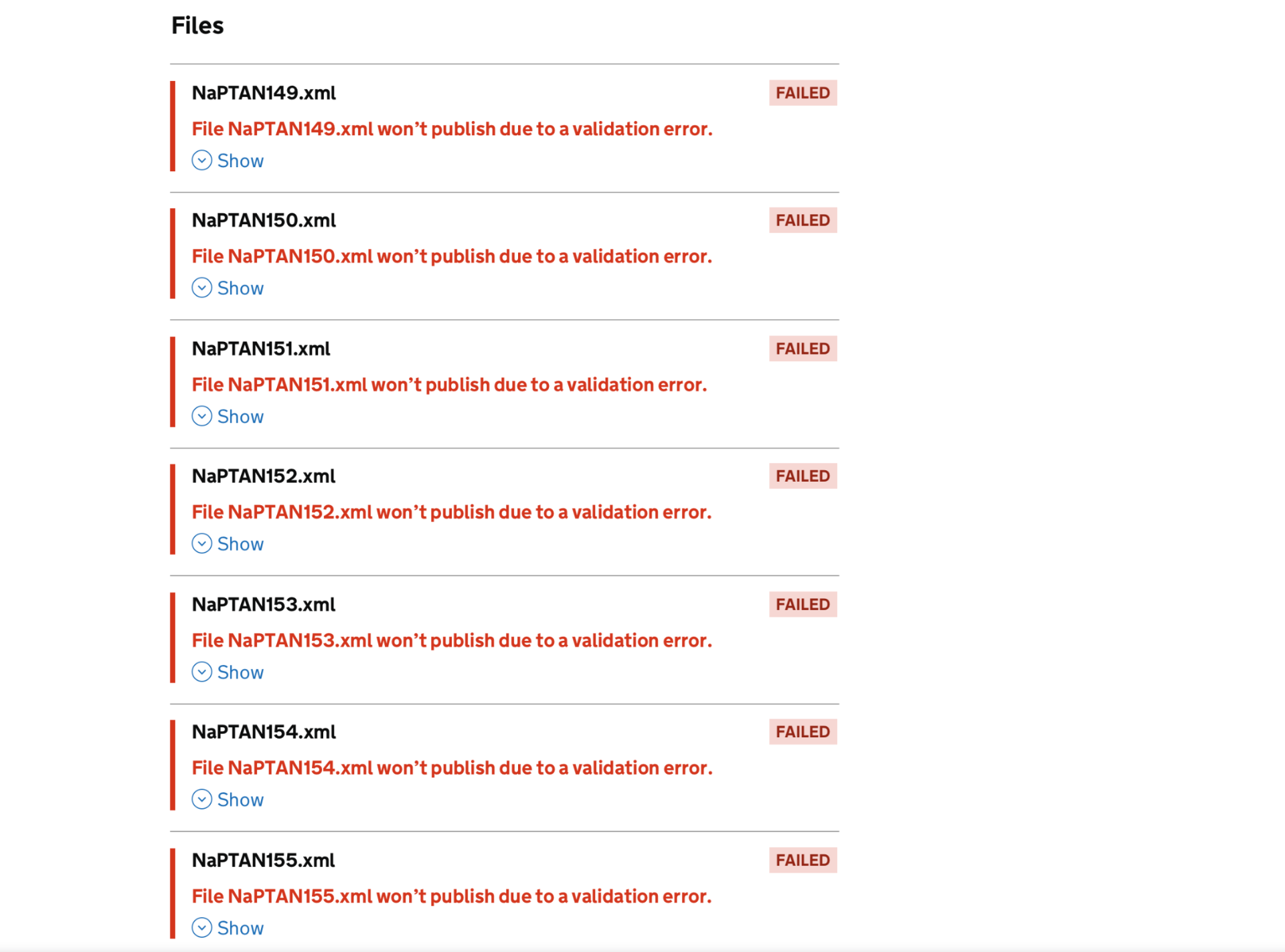
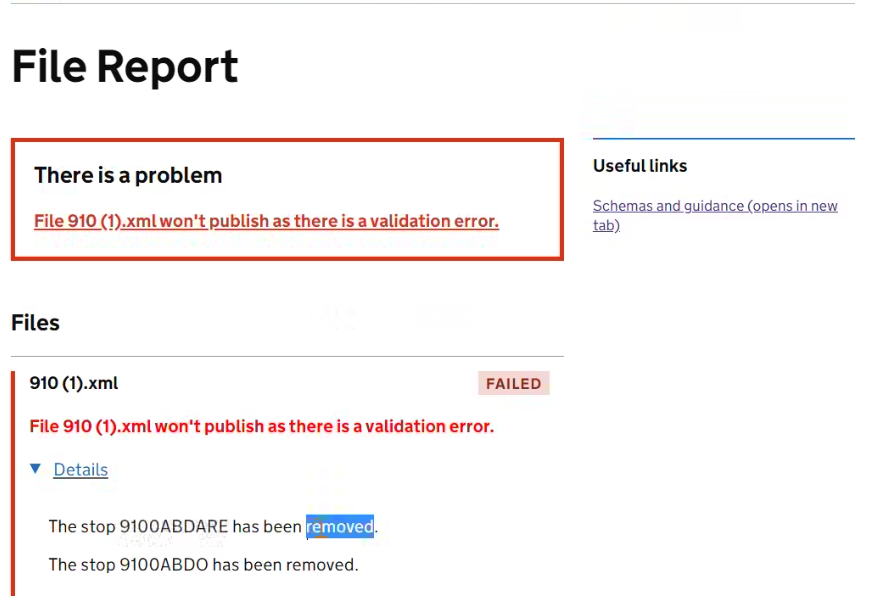
- ·Publish data, with per-file success or failure and a problem summary at the top
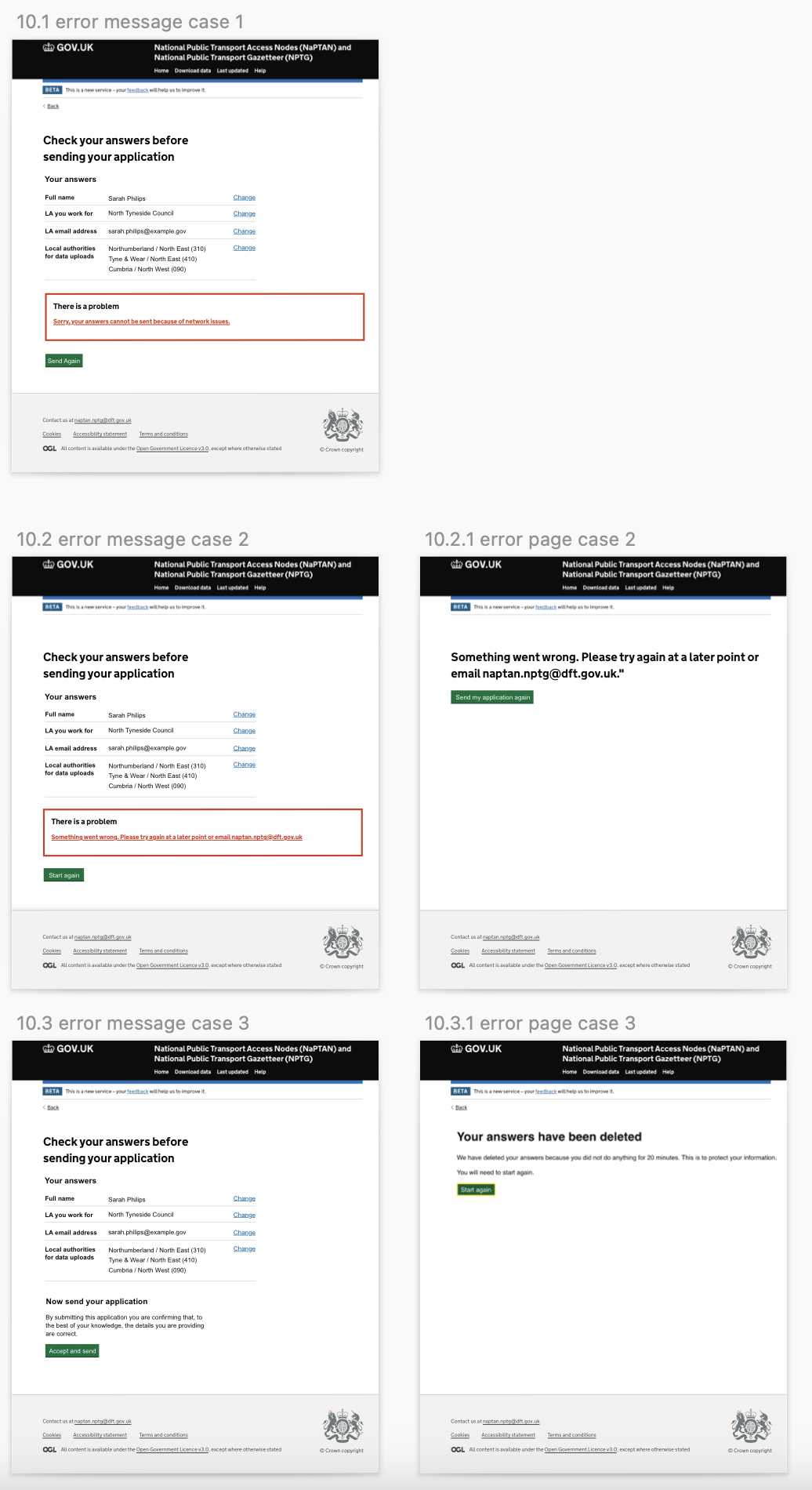
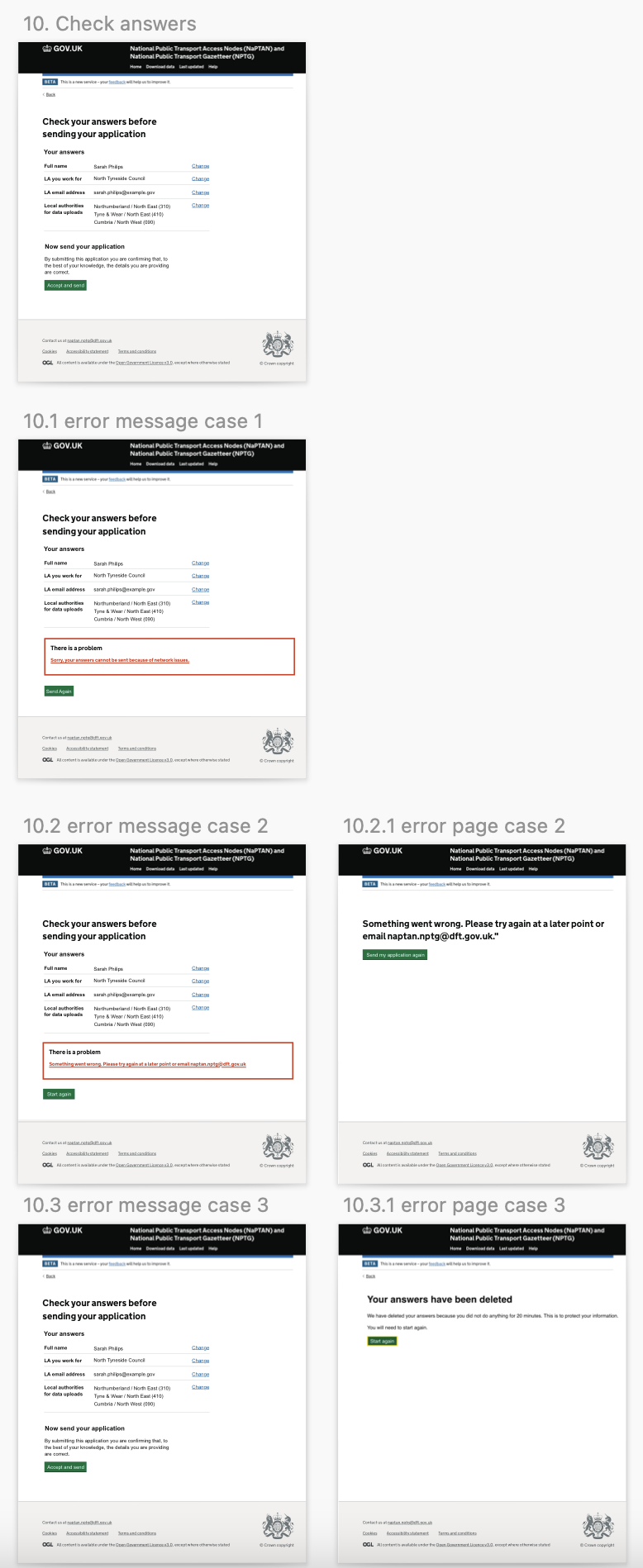
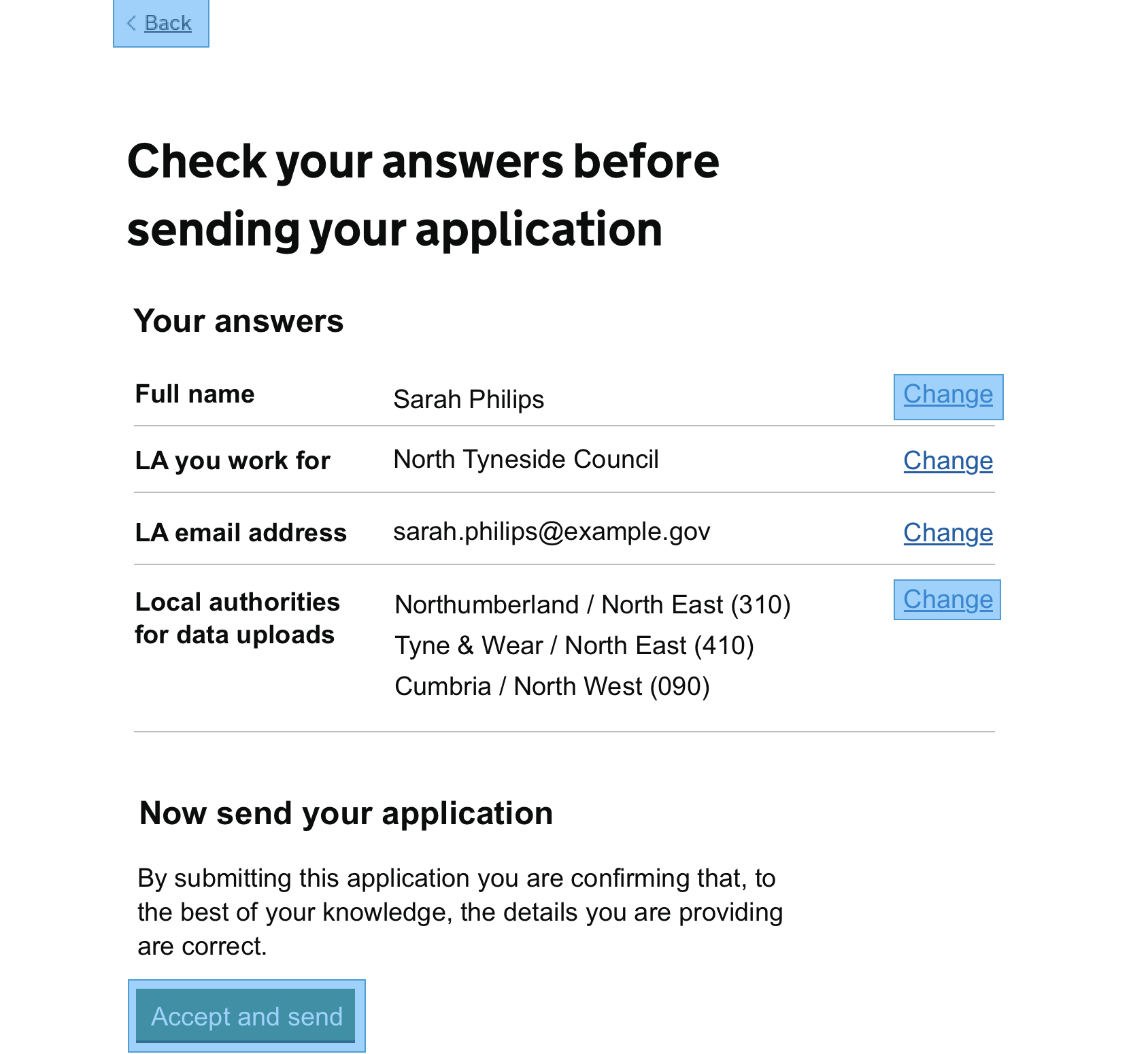
- ·Check answers and three distinct error states for network, server and session timeout
The file report, success and failure.
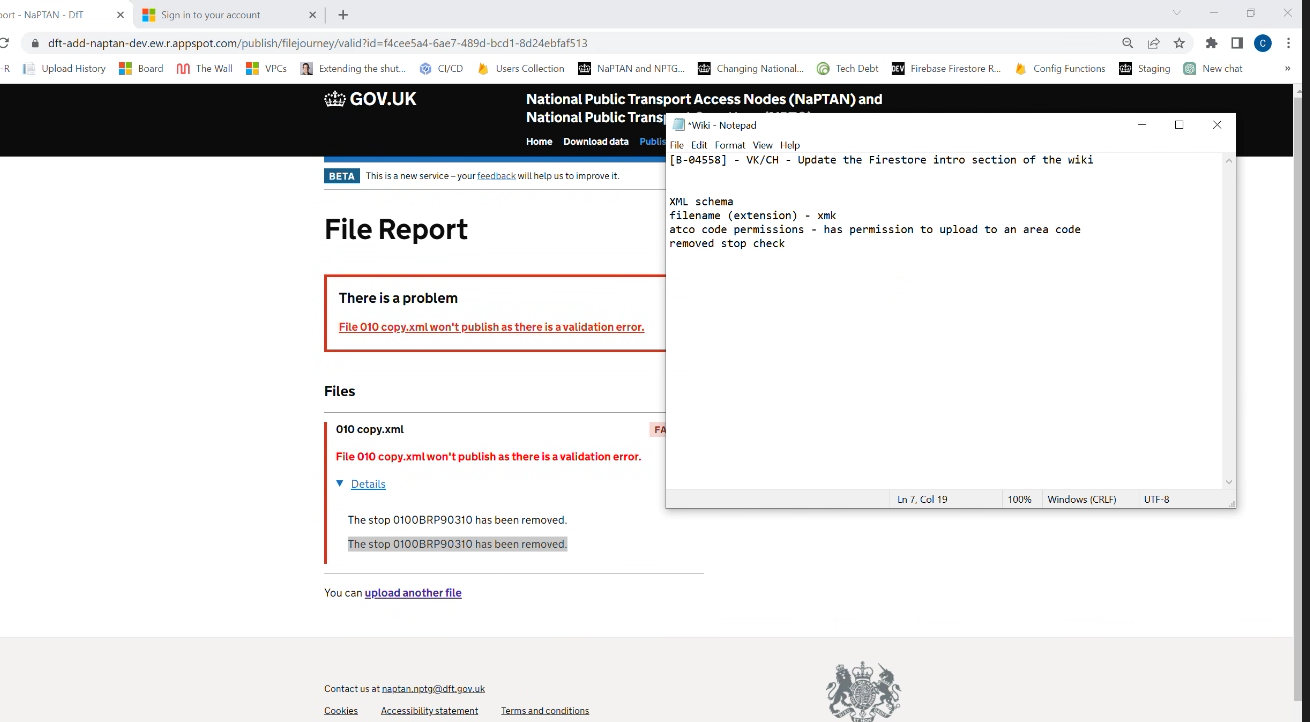
The file report screen was the single highest-stakes page in the service. People wait for it, and they need to know in seconds whether they can move on or whether they have to fix something. I designed two clear states and tested both.
On success, a single green confirmation, the checks that ran, and what happens next. On failure, an error summary at the top using the GOV.UK pattern, the failed check called out in red, the successful checks kept visible so people did not feel they had wasted the upload, and a plain-English explanation of what to do.
Three failure modes, three honest responses.
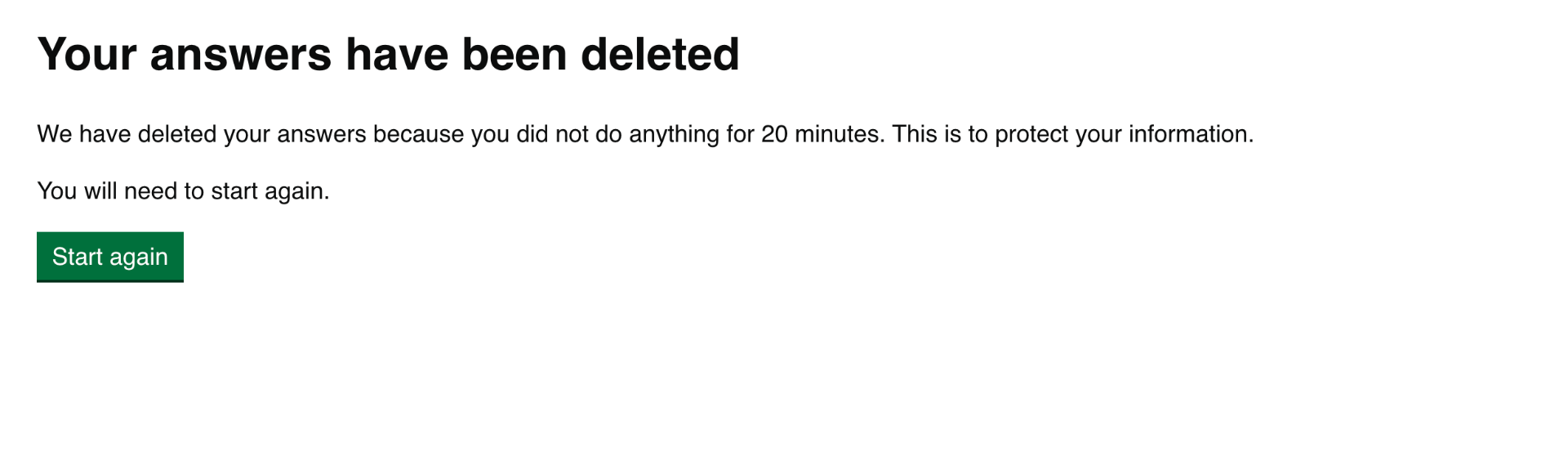
Most services have one error page. This one had to handle three very different situations: a network drop, a server problem, and a 20-minute session timeout that deletes the user's answers for security. Each one needed a different message, a different recovery action, and a different tone.
I prototyped all three and tested the wording with users. The session timeout in particular needed to explain why we deleted their data, not just that we had, otherwise people felt punished rather than protected.
A usability problem worth catching in alpha.
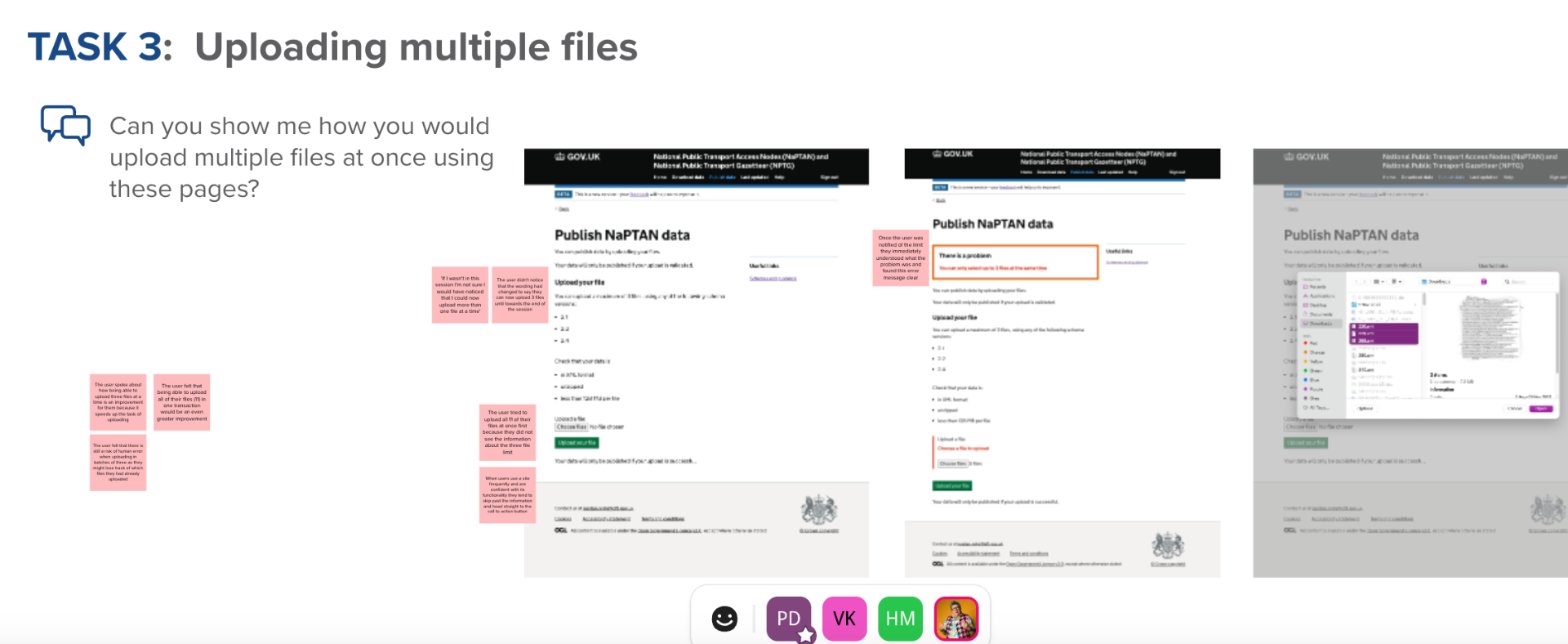
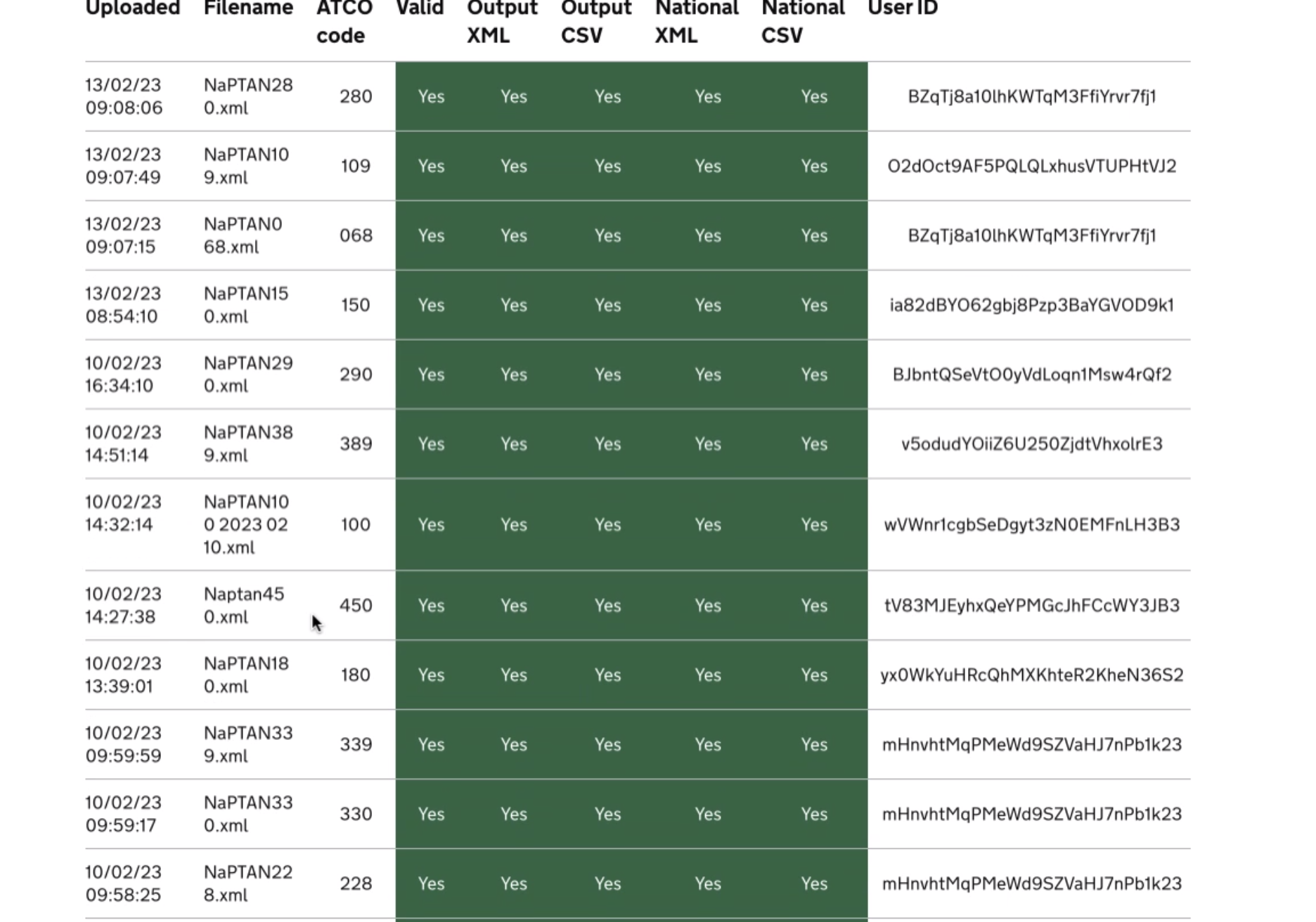
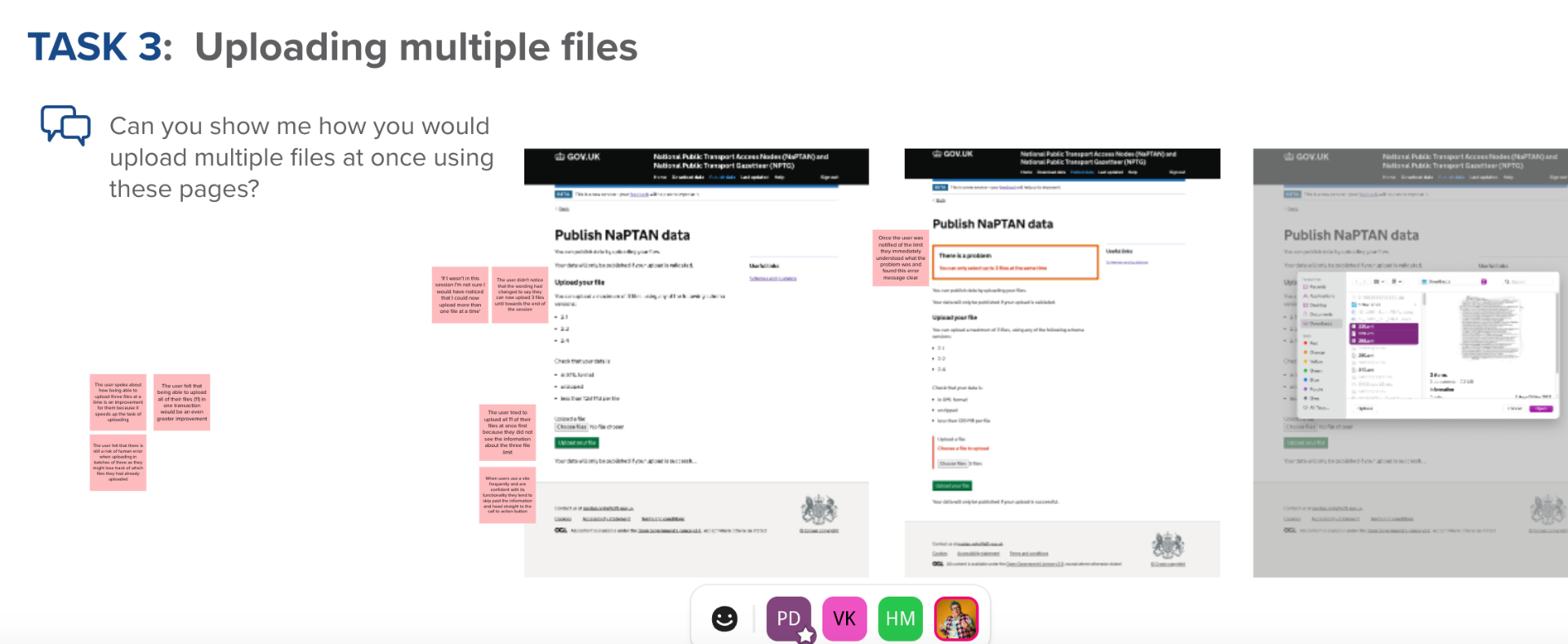
In task three of round two testing, I asked five local authority users to upload eleven files using the existing pattern. Every single one tried to drag the whole batch at once, hit the three-file limit silently, and only noticed something was wrong when their data did not appear.
I rewrote the upload page so the limit was stated before the file picker opened, surfaced as an error summary if exceeded, and reinforced in the submit button copy. Round three retested the same task and all five participants completed it without help.
The accessibility statement was failing its own audit.
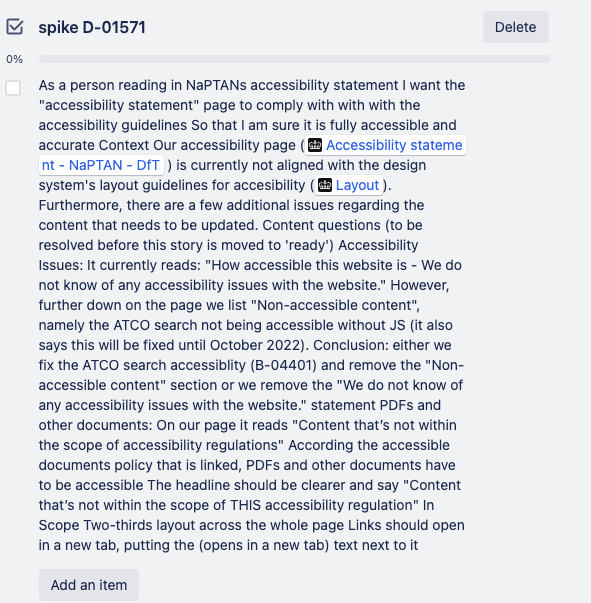
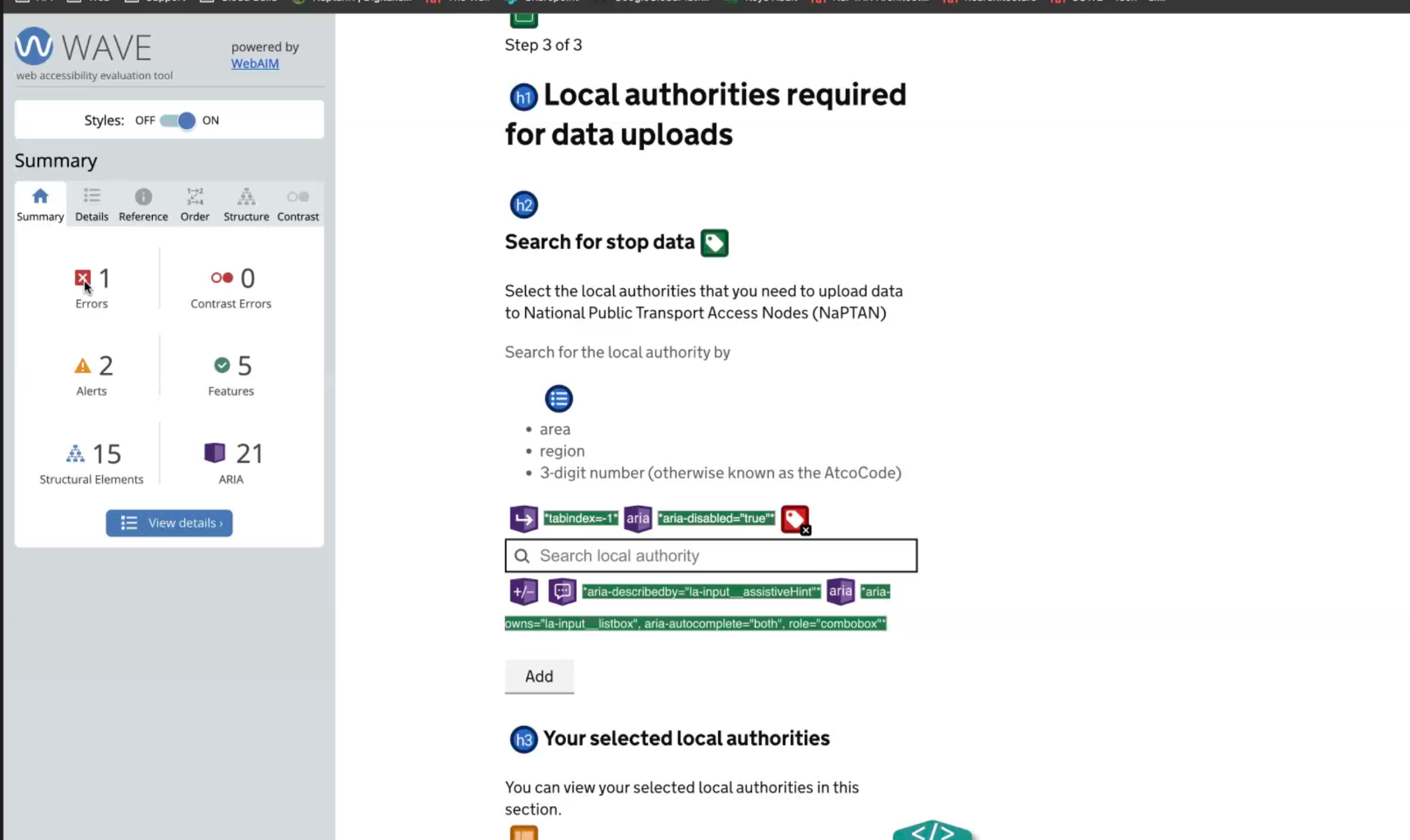
Partway through beta, I picked up a spike to review the accessibility statement page. It admitted the ATCO search component was not keyboard accessible, blamed it on a third-party dependency, and promised a fix that had quietly slipped twice.
Rather than rewrite the statement to sound better, I pushed back. I worked with engineering to actually fix the ATCO search, then rewrote the page to match the GOV.UK accessibility statement pattern: in-scope content, known issues with target dates, and links opening in a new tab signposted in the link text rather than hidden in a tooltip.
It was a small piece of work but it mattered. A government accessibility statement that lies is worse than one that admits gaps honestly, and the GDS assessors notice.
What changed for the people using it.
The service moved from alpha into private beta with the pilot authorities. The headline number that DfT cared about was engagement with the publishing tool, because adoption was the gate to wider rollout.
- ·Over 60 per cent uplift in pilot tool engagement after the redesign
- ·Task success in moderated testing rose from partial to complete across the three priority flows
- ·DfT's manual triage on the validated flows dropped, freeing the data team for the genuinely complex cases
- ·Service passed its GDS assessment for the move from alpha to private beta
- ·Accessibility statement realigned with the GOV.UK pattern and the underlying ATCO issue fixed
Designing for government taught me to slow down on language.
Most of the wins on this project were not visual. They were about the right words at the right moment: the name of a check, the wording of an error, the order of the tasks on the homepage. Gestalt principles helped me group things sensibly, but plain English carried the service.
The other thing this project taught me was that leadership inside a delivery team often looks like a quiet decision to do the harder thing. Fixing the ATCO search instead of softening the statement, retesting the upload flow instead of shipping the first fix, going back to the user when stakeholders disagreed. Small calls, but they compound.
Screens, prototypes and design artefacts.
These images were uploaded with the original case studies. They show the prototype screens, research artefacts, design system work and visual decisions behind the written story.


Try the remove-a-stop flow.
A working recreation of the flow I designed, with the three named checks running in order. Pick a preset or type your own ATCO code to see the pass and fail paths.
Service start page
Remove a bus stop from NaPTAN
Use this service to remove a stop your authority owns. Before you start, check the stop is not used in a live journey on the Bus Open Data Service.
- You can remove one stop at a time
- You need the ATCO code for the stop
- Removals are published within 24 hours
Prototype only. No data is sent anywhere. Built for this case study using the portfolio's own design tokens, modelled on the live service.